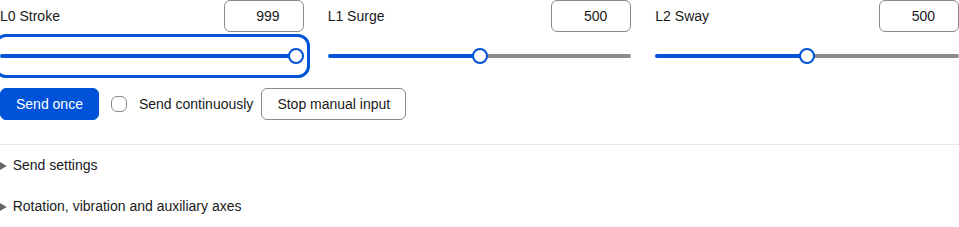
Move a slider, play a script or connect a live signal. Send the result to several devices and applications, with a workbench that feels the same in your browser and on your desktop.
Open in your browser · Download for Windows, Linux and macOS浏览器即开即用 · Windows、Linux、macOS 桌面版
EXAMPLE FLOW联动示例One source, several destinations一个来源,连接多个目标
01
Choose a source选择来源Control, script or live signal控制、脚本或实时信号
Start from a slider, a file or an application.
从滑条、文件或应用取得数值。
0.65
02
Adjust the response调整响应Smooth and scale平滑变化、调整范围
Choose a range, smooth changes or combine values.
选择量程、平滑变化,或融合多个读数。
0.40
03
Send the result发送结果Device or application设备或应用
Each output has its own connection and settings.
每个输出分别设置连接和响应。
40%
Build a direct connection or add computation when you need it.
可以直接连接,也可以按需添加计算转换。
TWO WAYS TO WORK
两种使用方式
Start in the browser. Build more on desktop.网页随开随用,桌面连接更多。
WebSensa
Controls and scripts, ready to go
打开页面,就能控制与播放
Manual axes, funscript playback and several outputs together. Connect through the serial, Bluetooth, MIDI, HTTP and WebSocket capabilities available in your browser.
Receive OSC and device protocols, combine live inputs, record trajectories and connect the full range of desktop outputs. Share ports across input routes and run independent instances.
01Choose a source选择来源Set the track name and its range.设置轨道名称与数值范围。
02Record a segment录制片段Enable input; disable it to finish.启用输入开始,关闭输入完成。
03Download or replay下载或回放Reuse the track whenever you need it.把这条轨道用于下一次联动。
UNITY
UNITY 组件
Measure a point on your avatar把 Avatar 上的位置变成输入
Use existing OGB/SPS parameters or add SPS four-anchor, Contact or Shader tracking. Following reference planes turn those measurements into depth, offset and direction.