Lab props: hold, place and interpret
简体中文 | English
Use this guide when operating the internal Avatar/World Lab props. It describes grabbing, activation, measurement selection and the generated scene controls. The scenes are Assets/SensaAvatarLab/Generated/FullFlow.unity and Assets/SensaLab/Functional/FunctionalLab.unity. For a regular Avatar setup, start with setup choices.
Avatar menus
In Sensa Test Props, choose Palm Socket, Forearm Socket, PB handle or Shader rig:
- Left hand/Right hand follows that hand.
- Place in world stops following and keeps the location.
- Home / reset returns home; select a hand again to retrieve it.
The lollipop retains SPS_Lollipop → LeftHand/RightHand/Fixed/Off. Menus also expose SPS OSC, Measure plug, Socket's Measure this socket and synthetic Shader/CRC-fault controls. Placement menus position the prop, measurement menus select readings and SPS switches control the corresponding interaction. Sensa input activation and output settings control device delivery.
Names, entry centers, +Z and probes start visible; Visible labels / probes hides helpers. Text uses double-sided static meshes generated at build time, and menus use the build language. Per-player World language still needs client acceptance. Languages
QuickStart stays on the right wrist for checking internal scalar steps. Configure the step values and gates manually using their actual parameter paths. Use the corresponding tracking or parameter route for SPS integration. World test balls can be held/placed.
World buttons and native SPS area
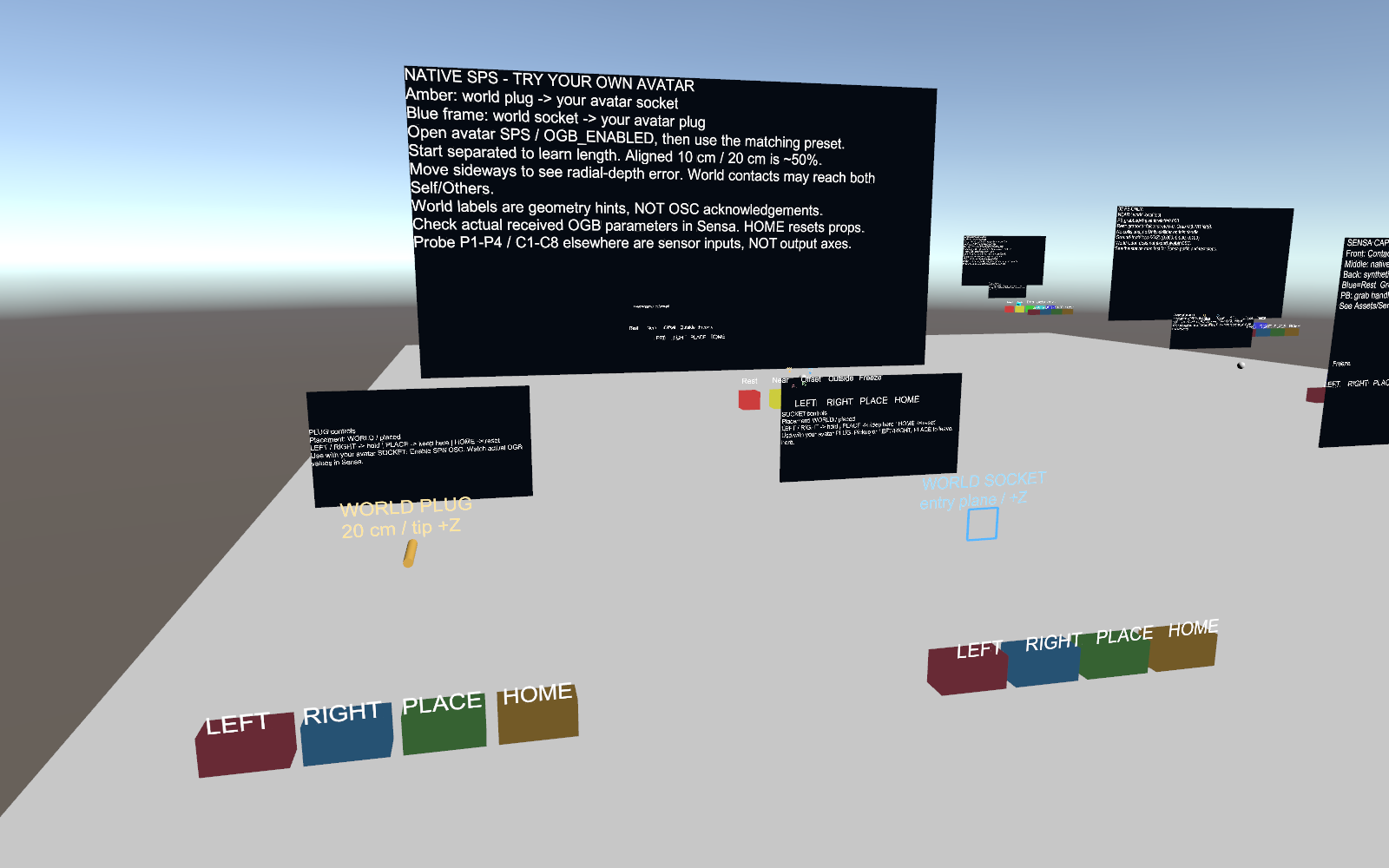
LEFT/RIGHT follow the local player's hand, PLACE stays put, HOME releases/resets. Direct grabbing exits button-follow mode. To observe PB stretch, grab the PB ball and move it relative to the reference frame. Buttons operate local props; Sensa input and output settings control device delivery.
08 MY AVATAR SPS contains:
- Amber WORLD PLUG: 20 cm, approaching your Socket.
- Blue WORLD SOCKET: receiving your Avatar's Plug.
Enable Avatar SPS/SPS OSC, fix Sensa instance/source and choose depth/vibration. Explicitly enable OGB heartbeat when needed to keep the corresponding Avatar function active. Sensa input activation and output settings still control device delivery. Separate then approach. Ten centimeters into an aligned 20 cm Plug provides an approximate 50% reference; lateral offset affects the radial estimate. Self/Others indicates the SDK interaction category; check instance and source to verify the intended target. World text shows geometric expectations; observe actual OSC arrival in Sensa.
Point/Pose layouts and SPS four-anchor tracking
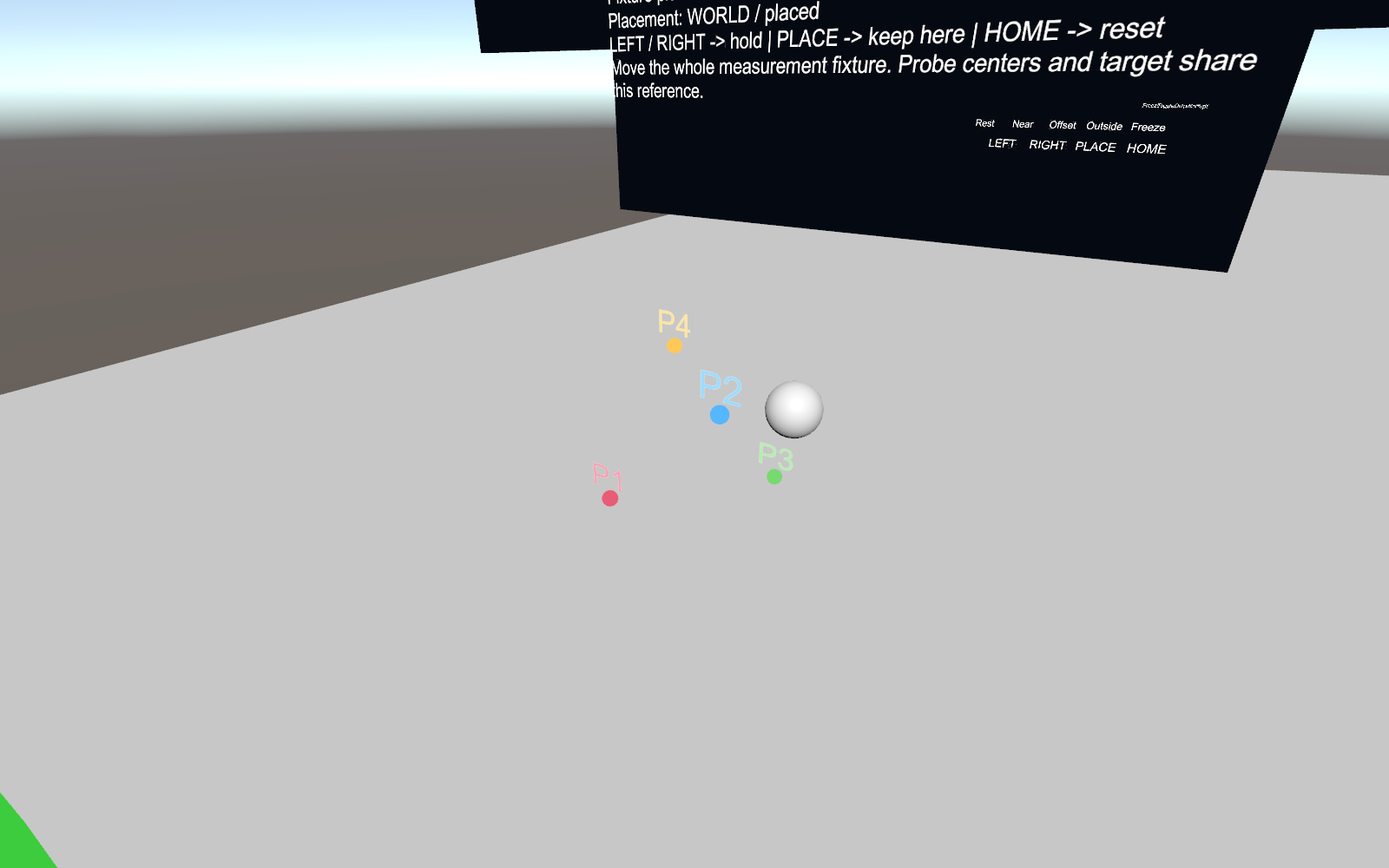
Paired Pose/PB experiments use these labels for sample locations. Device-command axes and travel appear separately in output settings:
| Marker | Color | Legacy leaf |
|---|---|---|
| P1/P2/P3/P4 | Red/blue/green/yellow | A0/A1/A2/A3 |
| C5/C6/C7/C8 | Purple/cyan/orange/light gray | A4/A5/A6/A7 |
Tetrahedra use P1–P4; eight-point arrays use C1–C8. C1–C4 reuse red/blue/green/yellow, with positions defined by their own layouts: P2 and C2 each identify the second point of their respective arrays. Measure plug shows Palm/Plug-handle P frames; Socket uses C arrays, with Root/Tip/Side sharing locations and using separate parameter paths. Independent PB frames also use P.
SPS four-anchor tracking uses P0–P3 fixed under the Avatar root and a dedicated moving marker, colored blue/teal/purple/rose. These use dedicated paths from Sensa/SPS/<id>/P0 to P3 and a fixed-root layout. The paired experiments' C points and A leaves follow their own protocols. Lists retain real paths; output L/R/V/A identify device-command axes.
Acceptance boundaries
Build/ClientSim checks cover menus, placement, reset and generated controllers. Uploaded Avatar OSC, HMD grabbing and hardware behavior need acceptance in their respective environments. Spatial motion in paired experiments starts disabled. Before activation, check the target Sender, participating channel sample times, calibration and invalidity stops. Residuals check geometric consistency.
SPS four-anchor tracking has its own geometry/Sample and requires experimental permission, calibration and stop checks before activation. Lab Shader props check synthetic encoding and transport. Native root capture uses a separate authoring component and three-point skinned geometry to report the selected root's position, X/Z axes and Avatar world scale. Deformed-mesh observations use a separate diagnostic probe and acceptance workflow. Positioning · Workflow · Shader